Less tab chaos. More organised work.
VISION Pro
Your workspace. Your way.
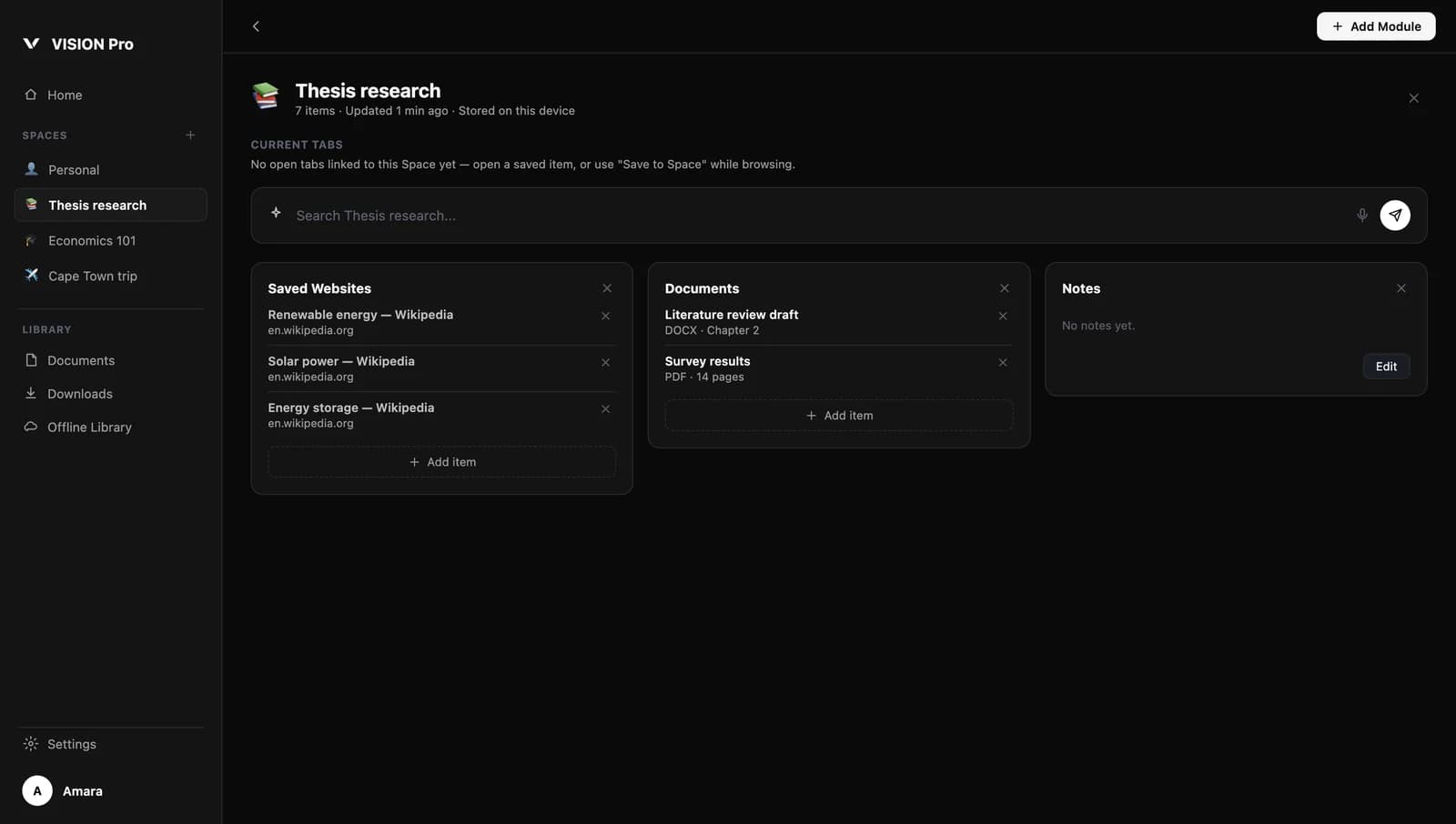
Spaces
A lasting home for every piece of work.
Tabs disappear when you close them. Spaces don't. Each Space keeps its own websites, documents and notes, ready for the next time you open it.
Documents
Keep the files that belong to a project with the project.
Saved websites
Collect the pages you're working from, not just the ones you have open.
Notes
Write down what you've found and what you'll do next.
Lists
Simple lists for itineraries, budgets and places, which you fill in yourself.
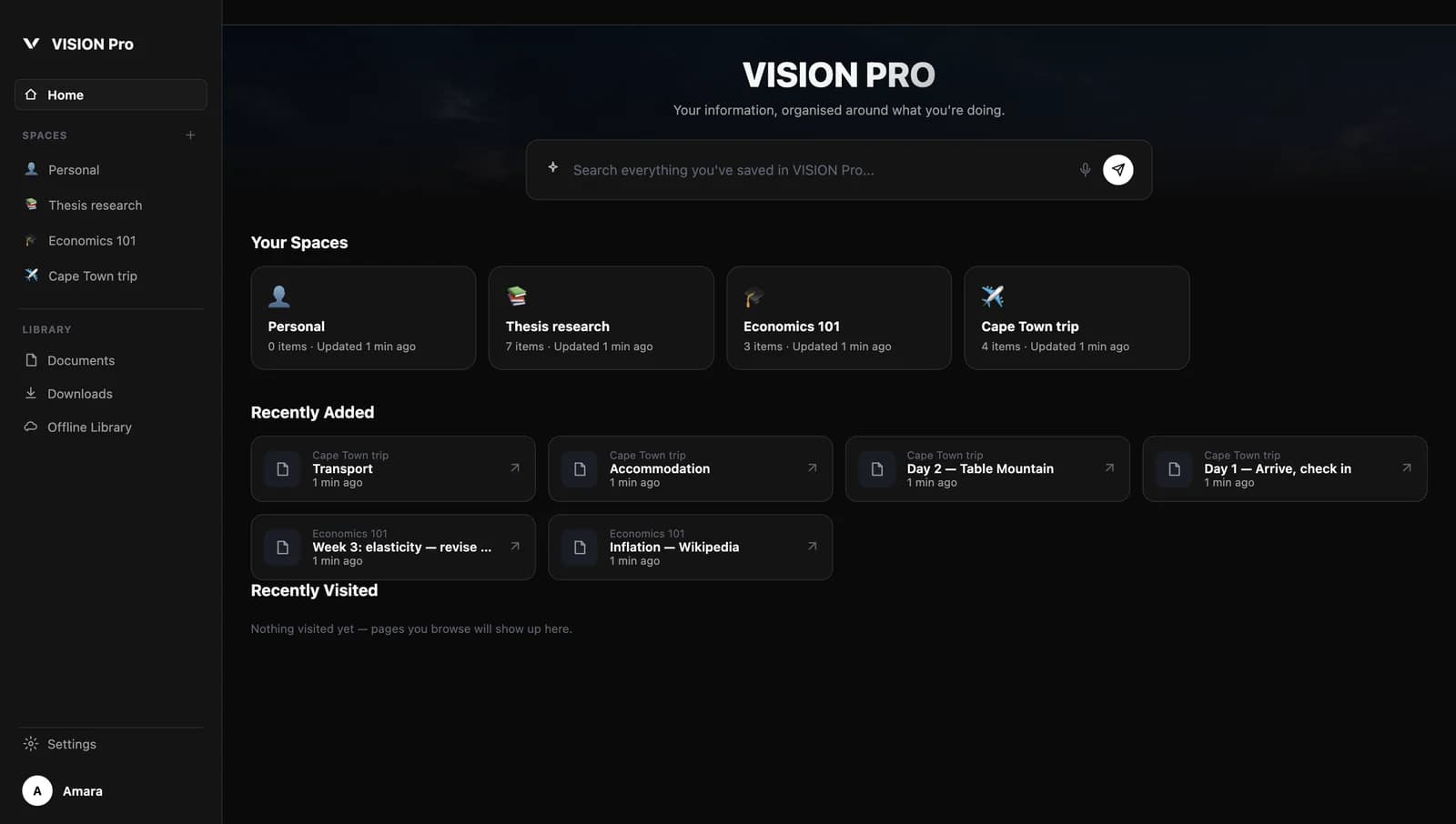
Organise by what you're doing
Make a Space for a thesis, a client, a course or a trip. Give it a name and an icon, then add the modules you need.
Find it again, fast
Search everything you've saved in VISION Pro from one box, and see what you've recently added and visited.
Work with Ask VISION
Use Ask VISION alongside your Spaces to explain, summarise or draft. AI features need an AI provider to be set up.
Ordinary browsing, or a workspace?
VISION Pro builds on the VISION browser. Everything you use day to day is still there.
| Capability | VISION | VISION Pro |
|---|---|---|
| Browse the web with tabs and bookmarks | Included | Included |
| Save pages for offline reading | Included | Included |
| Ask VISION, study tools and Focus Mode | Included | Included |
| Persistent Spaces for each project | Not included | Included |
| Documents, websites and notes together | Not included | Included |
| Search across everything you've saved | Not included | Included |
| Save the page you're on straight to a Space | Not included | Included |
VISION Pro is part of the VISION desktop app. Plans and pricing for VISION Pro haven't been announced yet — we'll publish them here first.
Bring order to your browsing.
Start with VISION, then make it your workspace with VISION Pro.