The VISION Browser
Everything you expect from a browser. And a place to keep what matters.
VISION is built on Chromium, so the websites you use every day load and work normally. Around that familiar core, it adds the tools that help you save, learn and focus.
Everyday browsing
The essentials, done properly.
No new habits to learn. VISION works like the browsers you already know.
Tabs that behave
Open, switch and close tabs the way you're used to, with each site's own icon so you can find it at a glance.
Search or go
Type a question or an address in one bar. Choose the search engine you prefer in Settings.
Bookmarks and history
Star pages to keep them, find them by day or by search, and import bookmarks from your old browser.
Downloads you can manage
Pause, resume, retry and open downloads from one page, with files saved to your normal Downloads folder.
Passwords, kept safely
Save logins with your operating system's secure storage. VISION only fills them on the site they belong to.
Private by default where it counts
Private windows leave no history. Camera, microphone and location stay off until you allow them for a site.
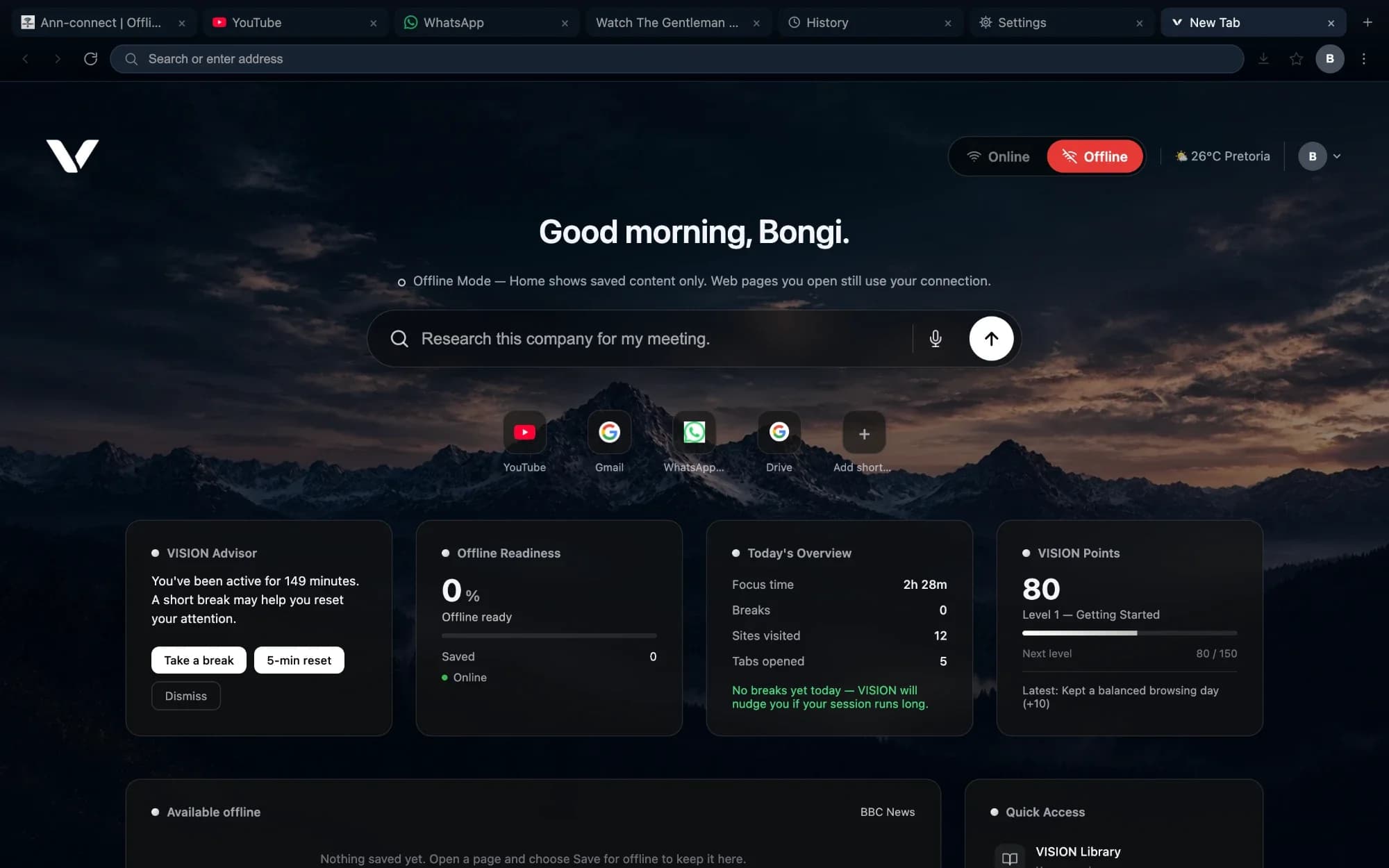
Your new tab
A home page that knows what you're working on.
Every new tab greets you with Ask VISION, your shortcuts and a quick view of your day — offline readiness, focus time, breaks and VISION Points — so you can start where you left off.
- Shortcuts to the sites you use most, which you can add and remove
- An Online and Offline switch, so you can see what you've saved at a glance
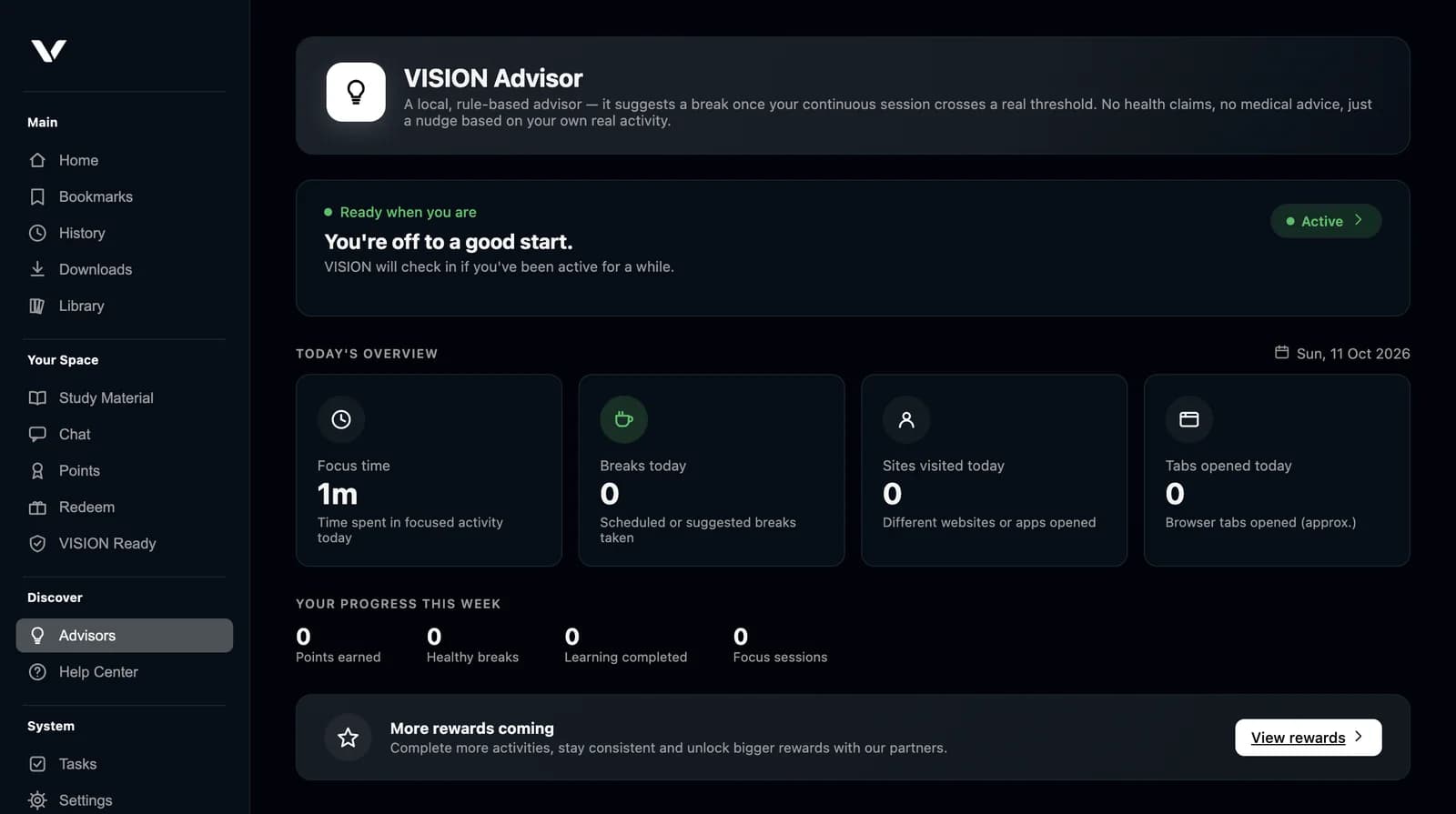
Lighter browsing
Made for real-world connections.
When data is expensive or the signal is weak, switch on Lite Mode to stop images and video loading across every tab. Use Reader View to read an article as clean text. And save the pages you need, so they're there when the connection isn't.
Learn about offline readinessSupported systems
Where VISION runs.
- Coming soon
Windows
Windows 10 or later, 64-bit
- Coming soon
macOS
macOS 12 Monterey or later
- Coming soon
Android
Android 8.0 or later
- Coming soon
iOS
iOS 16 or later, iPhone
- In development: Linux.
Public installers are being finalised. The Download page will list them as soon as they're published.
Get started in minutes.
- 1
Download
Choose your platform — Windows, macOS, Android or iOS — on the Download page. - 2
Install
Open the file and follow the steps for your system. - 3
Make it yours
Pick your language and country, add your shortcuts, and import your bookmarks.
Make your browser work better for you.
Discover a more organised way to browse, learn, and work with VISION.