Everything you need, in one browser.
Showing 17 features
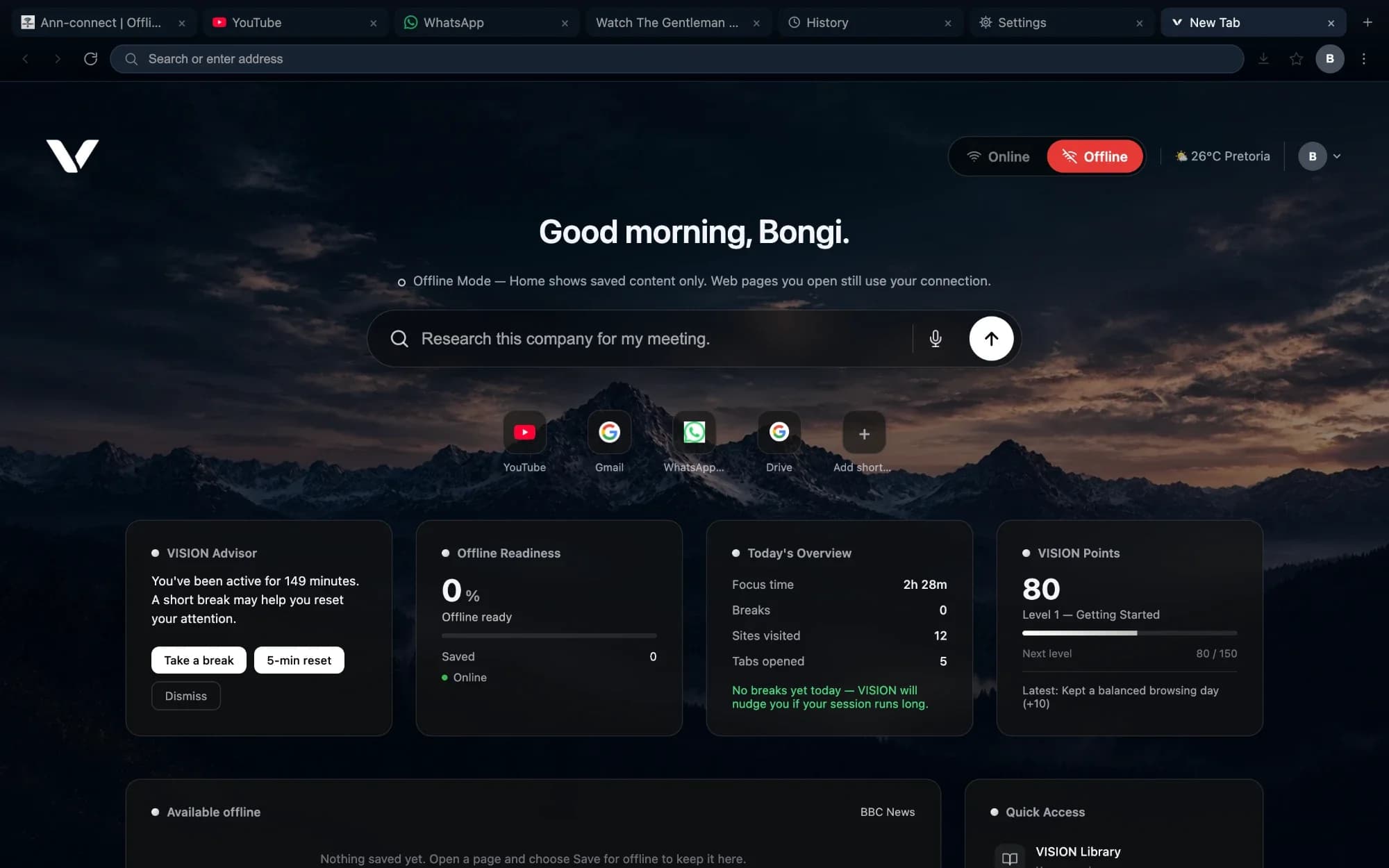
Browsing
Smart browsing
A fast, familiar browser built on Chromium, so the sites you rely on work the way you expect.
- Tabs, back and forward, find in page, zoom and print
- An address bar that searches or goes straight to a site, with your choice of search engine
- Set VISION as your default browser
Browsing
Bookmarks, history and downloads
Find what you opened yesterday, keep what you want to return to, and manage every download in one place.
- Bookmarks and history grouped by day, with search
- Import bookmarks from another browser
- A download manager with pause, resume and retry
Browsing
Private windows and saved passwords
Browse without leaving history behind, and sign in faster with passwords kept in your device's secure storage.
- Private windows keep no history and discard cookies when closed
- Saved logins are encrypted with your operating system's secure storage and only filled on the site they belong to
- Camera, microphone and location access are blocked until you allow them
Browsing
Reader View and Lite Mode
Read articles without clutter, and save data on a slow or expensive connection.
- Reader View strips a page back to its text
- Lite Mode stops images and video from loading across every tab, until you switch it off
Workspace
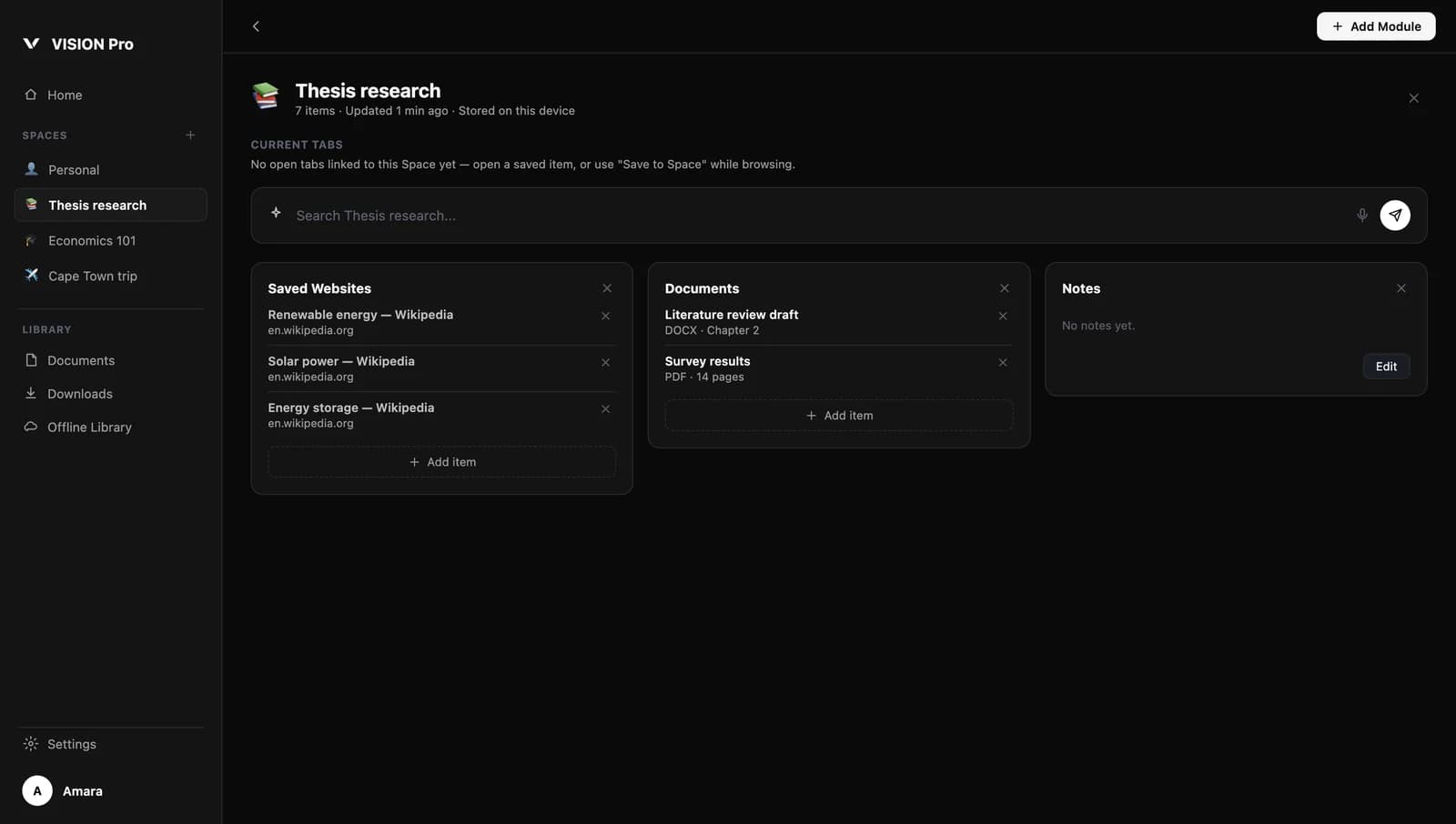
Spaces
Give each project, course or trip its own place for websites, documents and notes — and find it all again later.
- Create Spaces for anything you're working on
- Add modules for documents, saved websites and notes, plus simple lists for itineraries, budgets and places
- Search everything you've saved in VISION Pro from one box
Workspace
Save to a Space while you browse
Keep a page with the work it belongs to, instead of losing it in a pile of open tabs.
- Send the page you're on to a Space
- See what you've recently added and visited on the VISION Pro home
Offline
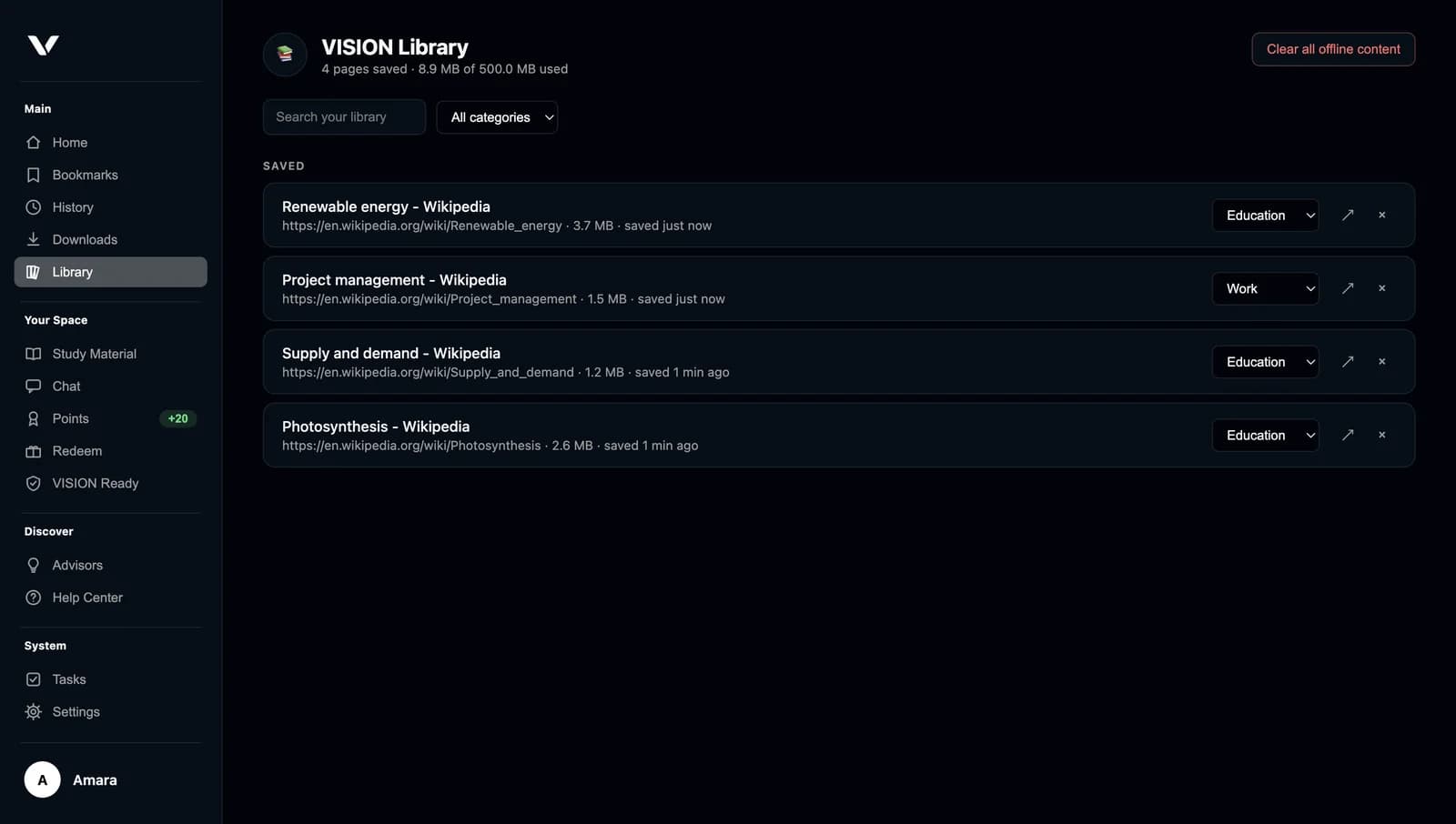
Save pages for offline
Keep a complete copy of a page on your device, so you can read it again without a connection.
- One click saves the page you're on to your VISION Library
- Sort saved pages by category, such as Education or Work
- If a page won't load, VISION opens your saved copy and tells you it's a saved copy
Offline
Readiness that keeps itself up to date
VISION helps you prepare before you lose connection, without filling your storage.
- Suggestions to save pages you visit often
- Saved pages refresh in the background while you're online
- A storage limit you set — pages you saved yourself are never removed automatically
- An option to prepare content on Wi-Fi only
AI
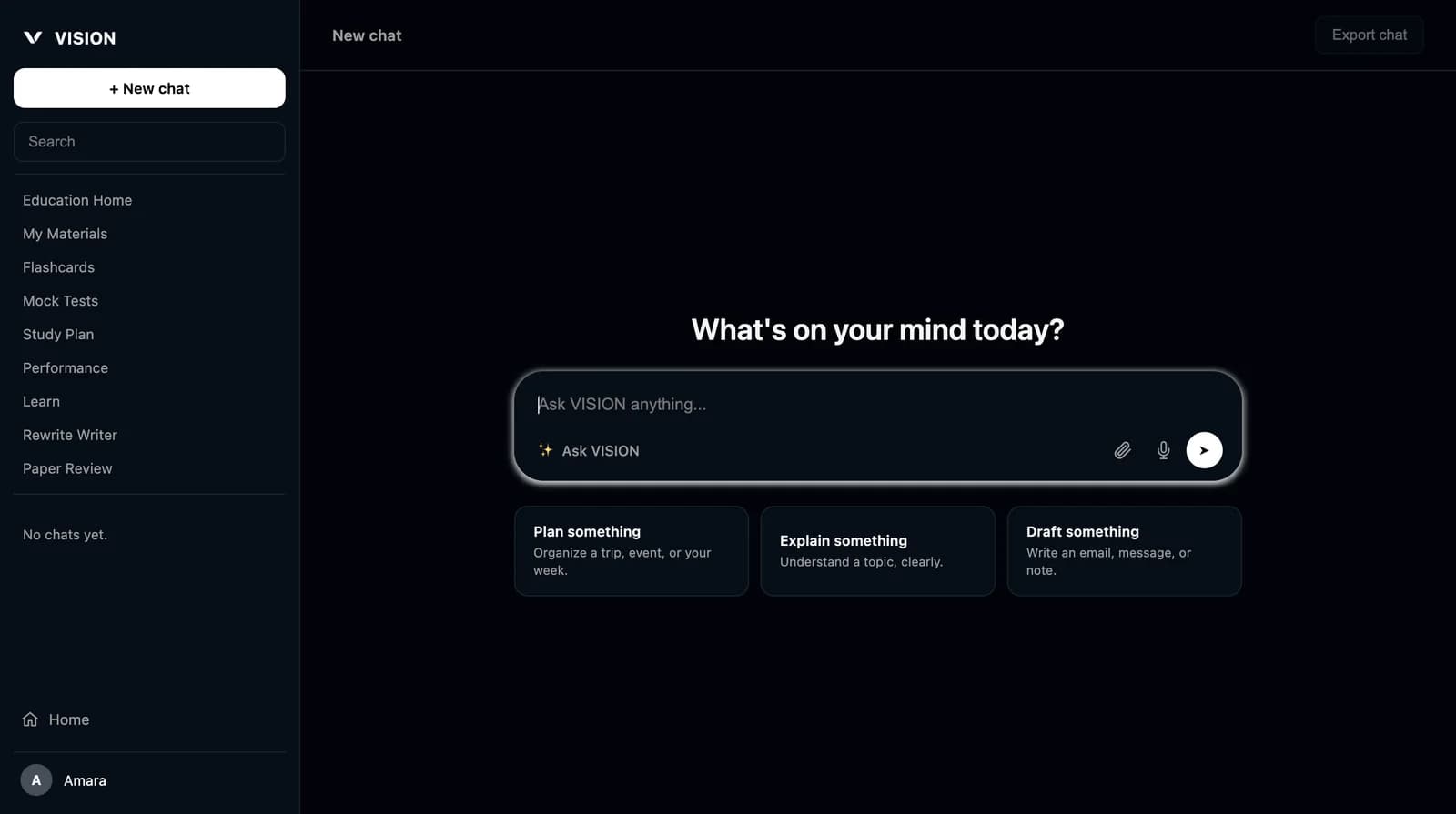
Ask VISION
Ask a question, explain a topic, plan your week or draft a message — right from your new tab.
- Conversations are kept on your device, with search and history
- Attach a file or use your voice
- Answers show which AI provider produced them
Ask VISION needs an AI provider: your own OpenAI or Anthropic key, or the optional offline model. A built-in VISION AI service is being prepared.
AI
Offline Ask VISION
Download a small AI model once, and Ask VISION can answer on your device without a connection.
- A one-time download of about 1.1 GB, which you can pause or remove
- Runs on your device
A small on-device model is less capable than cloud AI. Use it for quick help, and check important answers.
AI
Rewrite and Paper Review
Improve your writing without leaving the browser.
- Rewrite text, fix grammar, simplify, make it more professional or summarise it
- Get grammar notes and improvement suggestions on a document you upload
Paper Review does not check against a plagiarism database. These tools need an AI provider.
Learning
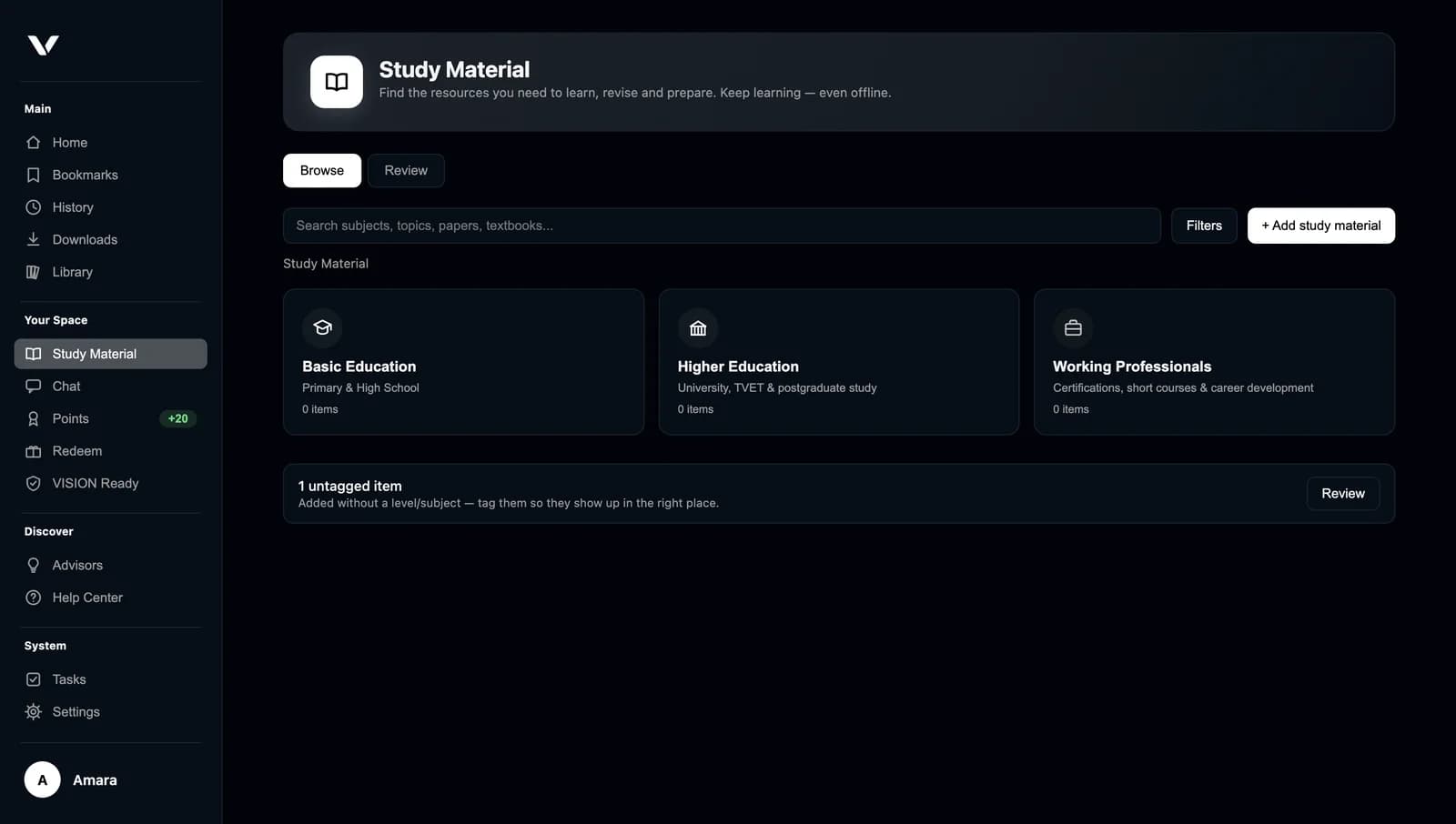
Study Material
Collect textbooks, notes and learning resources in one library, organised by level.
- Collections for Basic Education, Higher Education and Working Professionals
- Add your own material and tag it by subject
- Save learning pages for offline reading
Learning
Learn from your own documents
Upload a PDF, Word document or text file, and turn it into a study session built on that material.
- VISION finds the topics your document covers
- Flashcards and mock tests based on your document, with marking
- A weekly study plan that adapts to your progress, and a view of how you're doing by topic
Creating flashcards, tests and plans needs an AI provider and a connection. Saved material stays readable offline.
Learning
Review what you've saved
VISION brings your saved education pages back for review on a simple schedule, so you remember what you read.
- Mark a page “Got it” or “Review again soon”
- A daily streak that's honest about missed days
Wellbeing
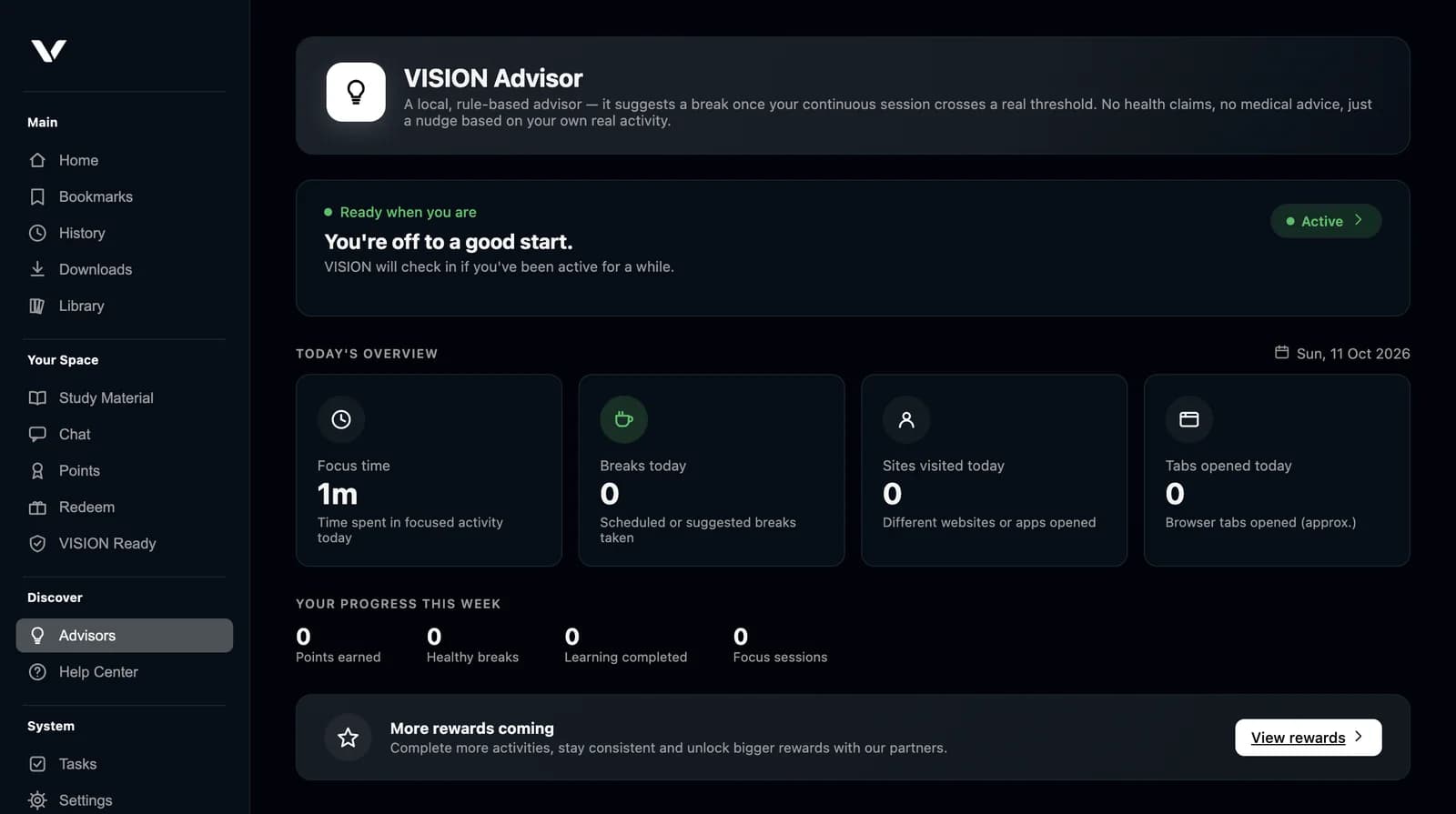
VISION Advisor and Today's Overview
See how long you've been focused and get a gentle nudge to take a break when a session runs long.
- Focus time, breaks, sites visited and tabs opened today
- Runs on your device using simple, transparent rules
Wellbeing
Focus Mode
Block the sites you choose for 15 to 90 minutes, and get on with the work that matters.
- Your own blocklist — VISION never decides what's distracting
- End a session early at any time
Wellbeing
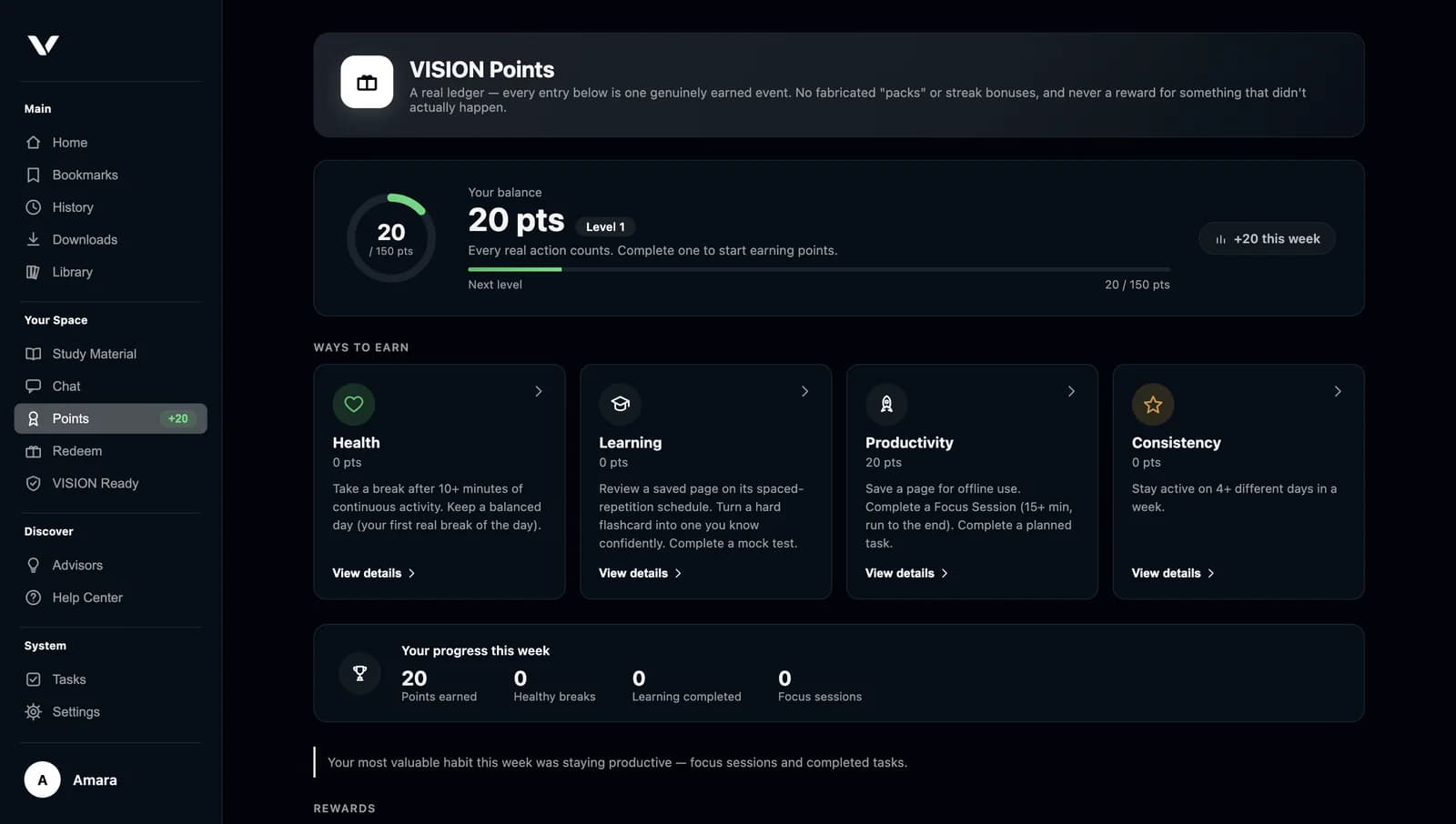
VISION Points
Earn points for real, healthy habits — saving resources, studying, taking breaks and completing focus sessions.
- Levels and a weekly progress view
- Points can't be farmed by clicking repeatedly
Redeeming points for rewards is not yet generally available. We'll share details when it is.
Features are described as they work in the current VISION desktop app for Windows and macOS; the Android and iOS apps may not include every feature yet. Where a feature depends on something else — like an AI provider or a connection — we say so on the card.
More features. Greater control.
See how VISION handles your data, and how offline readiness really works.